Recording video tutorials
Translation of the original in Catalan. Read it in: CatalàCastellano
Although there is a very good program with a GTK-based GUI for linux to capture sessions and record voice over the sessions. wink. That is, with which we can build video tutorials where we explain how to do anything. With Gentoo I don't know why it wasn't working for me, and on top of that version 1.5, which is the latest available for linux, doesn't support voice recording. So I've opted to try vnc2swf which together with pyvnc2swf (not included in linux's portage) lets you record VNC sessions and record audio files at the same time. The Python script is quite good, it automates a lot of things. Obviously it's a CLI-based application and therefore has no graphical interface and I'd say it doesn't let you edit the files once recorded. I don't know whether the flash (.swf) can be edited once the audio and the video are recorded. But I think it's the only way to edit a video tutorial once recorded.
To give you an idea of what the Python script does, it launches vnc2swf and at the same time we can invoke arecord (records .wav via ALSA). So when we press the stop button in the mini graphical interface that pyvnc2swf has, a .wav file and a .swf file are recorded with our video and audio separately. Then what we do with lame is convert the .wav to .mp3 and then join the .mp3 with the .swf so that there's a single .swf file; the script itself has also created a .html page from which the flash object is called.
Since there are quite a few files and parameters to use, below I'm attaching a small cookbook that explains how to do it:
# Llencem el servidor d'Xvnc
vncserver -geometry 800x600 :10
# Modifiquem el fitxer ~/.vnc/xstartup perquè es llenci el KDE amb l'escriptori del servidor Xvnc
cat xstartup
#!/bin/sh
startkde &
# Llencem el pyvnc2swf amb la seva mini-GUI per llençar i parar les grabacions
vnc2swf.py -o out.swf -r 5 -S "arecord -r 22050 voice.wav" localhost:10
# Finalment llencem el client d'vnc per controlar la sessió que volem grabar
vncviewer -depth 8 -compresslevel 9 -quality 9 :10
The parameters we pass to vnc2swf.py are to indicate the output file (-o), then we tell it to record 5 frames per second (-r 5) then we launch the arecord in swap, taking samples at 22KHz and recording its output to voice.wav. Finally we tell it that the session it has to connect to in read-only mode is localhost:10, that is, port 5910.
Once we stop the session an out.html file will be generated from which the flash object out.swf will be called; this file doesn't have the sound recorded in voice.wav embedded, to attach it we have to do:
# Convertim a .mp3 el fitxer amb l'audio voice.wav
lame voice.wav
# Adjunt l'audio del fitxer voice.wav.mp3 al fitxer out.swf i la sortida ens quedarà a out2.swf
edit.py -o out2.swf -a voice.wav.mp3 out.swf
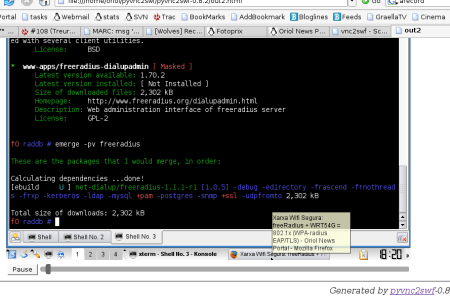
When running edit.py the out2.html file will also be created, which calls the flash object out2.swf with the audio included. So you get an idea of the output I'm attaching this screenshot:
2 comments
Comments from the old blog, as they were written. Comments are closed.
—
Just acabo de veure al del.ilicio.us del pof un link d'un tutorial sobre pyvnc2swf, així que per si pogués ser útil:
Howto pyvnc2swf
—
Un altre manual aquest cop en castellà i en format PDF:
Manual fet a la Guadalinex 2004