Cisco 7920 + Asterisk in roaming across 2x WRT54G
Translation of the original in Catalan. Read it in: CatalàCastellano
In fact, to do this in principle no Cisco 7920 is needed, since with any other wifi phone theoretically it should work. The problem is that for the moment we only had this one at hand. The matter is very simple we wanted to check how, by changing the association from one AP (Linksys WRT54G) to another AP, we didn't lose the call in progress and that the link problems were minimal. That is what I'll try to explain very briefly in this article. Why very briefly? well because it's really very simple to do.
Well conceptually the matter is very simple. Once we have the VoIP WiFi phone (Cisco 7920) connected to Asterisk, at the end of the file I quickly comment how it's configured, we only have to deal with the configuration of the APs. In order to make clear what we want to set up next I attach a small diagram I made:
<div style="text-align: center;"><img title="Esquema de connexions cisco 7920 + asterisk + wrt54g linksys" src="http://fitxers.oriolrius.cat/1677/roamingVoIP_thumb.png" alt="roamingVoIP_thumb.png"><br><br><a href="http://fitxers.oriolrius.cat/1677/roamingVoIP.png">Mida original</a> | <a href="http://fitxers.oriolrius.cat/1677/roamingVoIP.vsd">Visio file</a></div>Configuring the APs
The Linksys WRT54 bring by default a bridge made between the 4 ethernet ports of the LAN and the WLAN connection. So we only have to disable the internet/wan traffic so that we have an AP in bridge mode. It's important to have the same SSID and to put the APs on different frequencies, we have used one AP on channel 1 and the other on channel 6. If we put both APs in the same network range and also work with a static IP, we haven't tested it with DHCP. We have everything ready so that when we start a call associated on AP1 there are no breaks in the conversation when we move to the coverage area of AP2. At most we'll notice that the voice is lost for less than 1s but quickly everything will work just as if we hadn't changed AP.
If we close our eyes for a second and dream this big, we could set up coverage in a very extensive area with wifi phones, theoretically very simple ones that would work perfectly in the whole imagined coverage space. Does something about this ring a bell??? maybe the GSM network? ;) When I talk about very simple phones I mean phones that only support one SSID and that know nothing about protocols as sophisticated as Cisco's WDS (Wireless Domain Services), don't confuse it with WDS: Wireless Distribution System which many APs implement, which allows us to work with FSR (Cisco's Fast Secure Roaming).
If you want more information about these wonders that Cisco invents and whose only problem is that they aren't standard enough to enjoy them, you can read the document: Configuring WDS, Fast Secure Roaming, and Radio Management ( cache).
Security
In the tests we've done we haven't used WEP or LEAP which are the two security systems supported by the phone. In fact, we've based all the security only on the MAC and the IP of the phone. Also as can be seen in the diagram in the middle of the WIFI network there is a firewall which also allows us to let only SIP+RTP traffic pass towards the asterisk. With this we consider the security more than sufficient for the environment in which we did the tests. So we can be less demanding on the features of the phones to use. Since the intention isn't to spend 600¤ (price of the Cisco 7920, approx) on every phone we put on the network.
In fact, an idea that wants to be tested is to take advantage of the Wifi SIP phone from PeopleCall that can be obtained for 130¤ with the sign-up to this IP operator's service included.

Configuring the Cisco 7920 with Asterisk
This phone, following Cisco's line, uses a heap of proprietary protocols and in this case the thing reaches such an extreme that it doesn't even use SIP. So we had to configure asterisk with SCCP support (Skinny Client Control Protocol). Which isn't supported out of the box with Asterisk.
On voip-info you have a SCCP HOWTO ( cache). It's a good starting point. You need to think about having a tftp server installed somewhere on the network since the Cisco ones need it to get the voice configuration on boot. A good manual for configuring atftp on gentoo: Gentoo Linux based Netboot HOWTO (cache)just look at the section: The tftpd Daemon.
After doing what we mentioned before the most serious problem we had is that we couldn't make calls only receive them. The problem is in the sccp code which needs 7 'patches' to work correctly, it seems a joke but that's how it is. If you want to go straight to the point, I recommend you download the package I used: chan_sccp-mayday05+patches with the patches and the binary for asterisk version 1.0.7. Once the package is decompressed if you don't have to recompile you only have to copy the chan_sccp.so to /usr/lib/asterisk/modules. The website where you can follow the new versions of chan_sccp for asterisk is: chan_sccp Project.
Don't forget to add to /etc/asterisk/modules.conf:
load => chan_sccp.soWith all this we can already have the Cisco 7920 working with Asterisk.
Trick
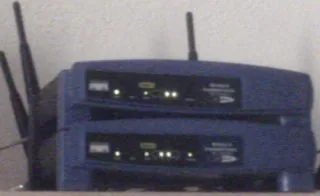
As you can see in the photo of the two linksys we used for reasons of space we put one on top of the other what we did to simulate the two coverage areas was very simple. We had one linksys configured with maximum power and the other with minimum. We switched off the maximum power one so that the phone would associate with the minimum power one. Once this was done we established a call and with the call in progress, we turned on the second AP, the maximum power one, the AP change isn't done until the associated AP has coverage problems with the terminal so the only thing we had to do was start walking until we lost coverage and notice that 'micro-cut' that indicated the AP change. Also looking at the phone and linksys menus we verified that the change had indeed been made without problems.