Reverse DNS with subnetting
Translation of the original in Catalan. Read it in: CatalàCastellano
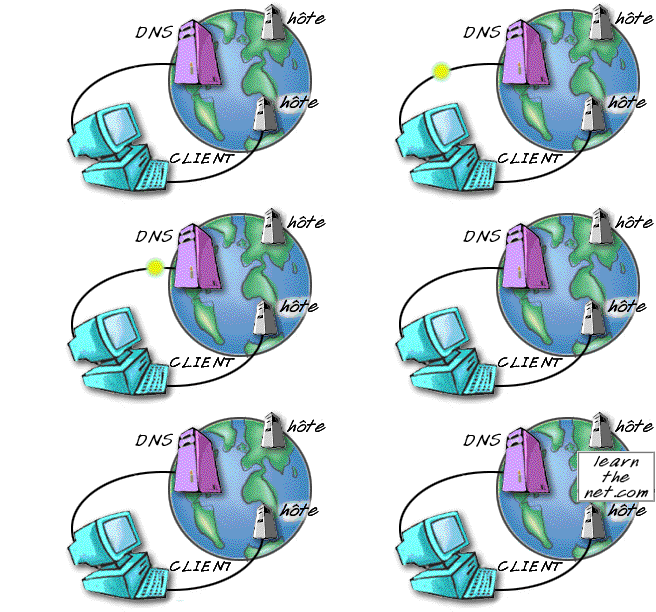
At work we have 8 public IPs assigned, so we have a subnet (subnetting) of 8 public IPs given to us by our ISP. The thing is that we decided to contract the self-management of the reverse resolution of the IPs. In a few words, that when someone enters an IP of our range it gets resolved conveniently with our mnemonics and using our servers. For that to happen the upper DNS servers (of class C) have to hand over control of the IP subrange to the servers we want, in this case, servers inside the range.
The problem is that after the ISP made the relevant changes it didn't tell us how we had to prepare our DNS in order to do this. Since every time I've done this either I had contracted it and everything was already done or it was a private class C network, I had never had configuration problems because it's done the same as in all the manuals, that is, trivial.
Well then, the problem came when I saw that something had to be different and the help I had received didn't give me the solution, so I turned to Pof who didn't work it out either, so I hope to explain the matter well enough for at least him to understand it. Before continuing with the technical rant I'll quote the sources from which I took the documentation to get this working:
- DNS for Rocket Scientists a fantastic list of resources where there are all kinds of examples of how to set up a DNS, I'd say that with what's here you don't need anything else to know about DNS.
- HOWTO Delegate Reverse Subnet Maps a document taken from the previous list which, as you can deduce, gives us some examples of how to set up what I mentioned before.
- DNS Stuff a site where you can run all the tests you might ever need to check that a public DNS works well and some other things too.
Focusing on the problem, it turns out that if I literally apply the example from the link I quoted before (HOWTO Delegate Reverse Subnet Maps) it didn't work even though the named service gave no error and started correctly. Weird, eh!? Neither locally nor remotely did anything work at all. Well then, the whole trick of the matter is in how the DNS that is doing the zone forwarding for us is referring to our SOA, let me explain with the example of the aforementioned HOWTO.
Class C zone file (192.168.23.0/24):
$ORIGIN 23.168.192.IN-ADDR.ARPA.
@            IN  SOA   ns1.isp.com. root.isp.com. (
                              2003080800 ; serial number
                              2h         ; refresh
                              15m        ; update retry
                              2w         ; expiry
                              3h         ; minimum
                              )
              IN  NS      ns1.isp.com.
              IN  NS      ns2.isp.com.
; definition of other IP address 0 - 63
....
	; definition of our target 192.168.23.64/27 subnet
; name servers for subnet reverse map
64/27         IN  NS  ns1.mydomain.com.
64/27         IN  NS  ns2.mydomain.com.
; IPs addresses in the subnet - all need to be defined
; except 64 and 95 since they are the subnets
; broadcast and multicast addresses not hosts/nodes
65            IN  CNAME   65.64/27.23.168.192.IN_ADDR.ARPA. ;qualified
66            IN  CNAME   66.64/27 ;unqualified name
67            IN  CNAME   67.64/27
....
93            IN  CNAME   93.64/27
94            IN  CNAME   94.64/27
; end of 192.168.23.64/27 subnet
.....
; other subnet definitions
Let's imagine that our company server will be ns1.mydomain.com and that the company IPs are 192.168.23.64/27. Well then, the trick of the matter is that when it says:
64/27 IN NS ns1.mydomain.com.THE 64/27 IS NOT AN ADDRESS BUT A NAME!!! that was the bloody trick. If we look at other manuals we'll see that sometimes it refers to the subzone with "a name" (any) that has nothing to do with its network address (as happens in the example). That made me get lost and not know what the hell I had to put. Since logically everything seemed to indicate that this was a subnetting address, not a name, according to this HOWTO, of course.
So my problem is that my upper DNS was referring to this "name" as 64-27 and not as 64/27. That's why when a resolution failed it told me, for example, that it was asking for the IP: 192.168.23.64-27.68 and I didn't understand what that meant. Well then, when I in my named.conf and in my reverse zone file put 64/27 as the manual I'm talking about indicates I had to put 64-27. Since it expects this name, NOT A SUBNETTING ADDRESS. That's why there was no way to understand what was wrong.
Kit-Kat: I know I've been a pain repeating the same thing so much, but the matter has made me sweat a lot.
Think that if in the named.conf I put this:
zone "64/27.23.168.192.in-addr.arpa" in{
	type master;
	file "192.169.23.rev";
};
Syntactically it is just as correct as this other one:
zone "64-27.23.168.192.in-addr.arpa" in{
	type master;
	file "192.169.23.rev";
};
That's why I could start named without it giving any error. Whether it works or not depends only on what our upper DNS (the class C one) indicates. Which in my case was not like the HOWTO example but like the second case I've exposed (64-27).
So the reverse zone file of the original HOWTO starts like this:
$ORIGIN 64/27.23.168.192.IN-ADDR.ARPA.
...
Which in my case had to be like this:
$ORIGIN 64-27.23.168.192.IN-ADDR.ARPA.
...
Now it does seem that I'm talking about a zone when I say 64-27, well no, it's a name!!! in some manual I've seen it put, for example: servidor1.23.168.192.IN-ADDR.ARPA. that has been the trick to reach the solution.
So to discover this silliness you can't imagine how many days I've spent turning it over, nor have I been able to dedicate even a whole day to thinking about it. But of course, when you think you're doing everything right, it gives no error and it doesn't work... you can hardly think of anything else. I hope this serves so that nobody else goes through what I've been through these days with this problem.
2 comments
Comments from the old blog, as they were written. Comments are closed.
—
Mooooooooolt interessant, de fet jo vaig estar fent proves també en un servidor dedicat que tenia el BIND i només s'havia de configurar 4 cosetes per que ell solet pogués gestionar les DNS dels sites q es registren donant com a nameserver el propi dedicat, no se ben be si es el mateix problema, segurament no, el teu deuria ser molt mes complicat, pero realment la pagina que em va ajudar MOLT a veure si tenia ben configurat el servidor DNS és la que comentes (http://www.dnsstuff.com/ ), pero la que realment em va anar de perles va ser:
http://www.dnsreport.com/
Nota: aquesta pagina sobretot es util per sapiguer per quina raó a vegades no van mails de cert domini i si estan ben configurats els registres MX del domini etc.
(en aquest el que tens que fer es posar el nom del domini i et fa un resum i analitza les característiques de les entrades al DNS).
—
Osti, tant de donar-li voltes i era aquesta "tontería"... llavors la sintàxis del fitxer de resolució inversa de zona era correcta i el que fallava era la definició de zona i la crida al ".rev" del named.conf.
Nunca te acostarás sin saber una cosa mas :)